iPhone and iPad
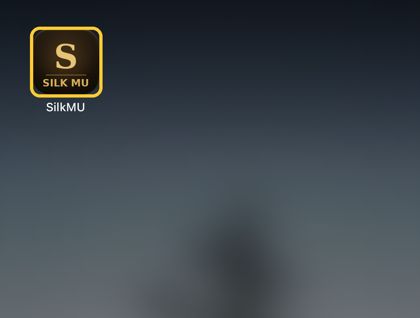
Apple does not allow apps from websites, so on iPhone the game lives on your home screen, and the whole game can be kept on the phone.
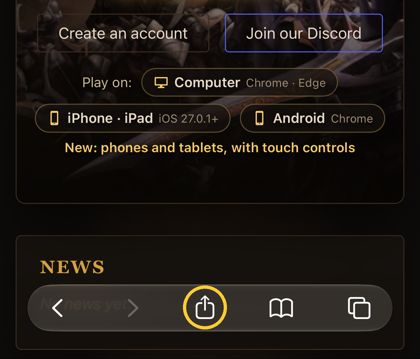
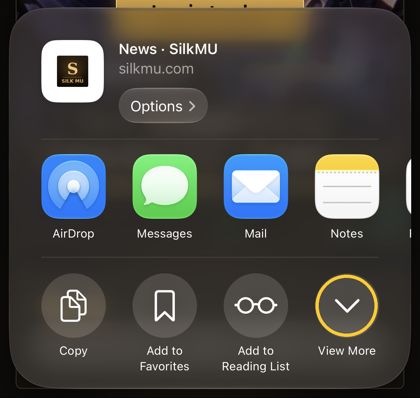
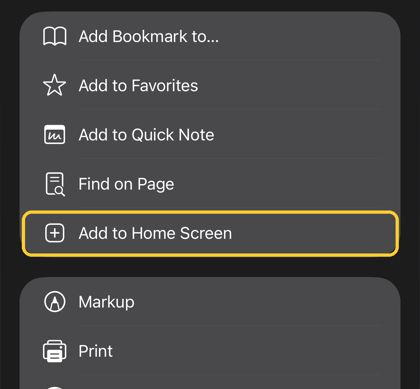
- In Safari: Share → Add to Home Screen
- Open the game from the home screen and log in
- Download the whole game once (about 760 MB, best on Wi-Fi): Download the whole game
- Then maps open straight away: nothing loads while you play.
- It updates itself: when the game changes, only the changed files come, usually a few MB.
- Open the downloaded file
- Android asks to allow installing from this source: turn it on and go back
- Install → Open
- The whole game is on your computer: it starts in seconds, and new maps open straight away.
- It updates itself: when the game changes, only the changed files come, usually a few MB.
- The same account, characters and features as in the browser: voice chat, events, Market.
The app isn't signed yet, so your computer warns the first time. Windows: "Windows protected your PC" → More info → Run anyway. Mac: open it once, then System Settings → Privacy & Security → Open Anyway. The guide shows it step by step. Guide →
Or play in the browser and keep the whole game in it: Download the whole game