★SilkMU features
What SilkMU adds: the starter set, class shops, +9 shop items, resets, voice chat and more.
Starter set and free points
Every new character starts with:
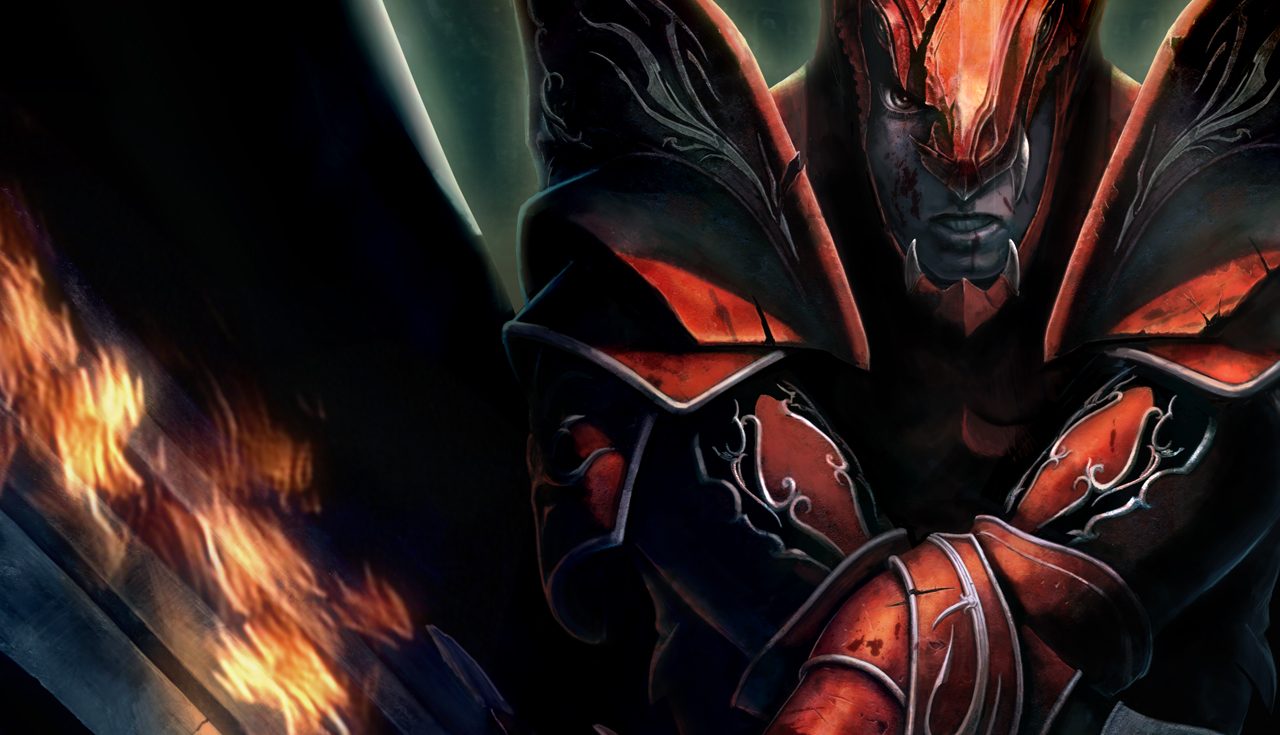
- A free +9 starter set for its class, already worn (weapon and armour; Dark Knight: Blade and Leather, Dark Wizard: Pad, Fairy Elf: Vine, Magic Gladiator: Leather without helm, Dark Lord: Light Plate, Summoner: Violent Wind, Rage Fighter: Sacred).
- 350 free stat points. If your class needs more Strength or Agility to wear its set, those points are placed for you from the 350; the rest are yours to place (the + in the character window, C).
- Its first skill, already learned.
Skill shops in the start towns
Every skill orb, scroll and parchment of a class is sold for zen in the town where that class starts:
- Lorencia (Dark Knight, Dark Wizard, Magic Gladiator, Dark Lord, Rage Fighter): Pasi the Mage, and Lumen the Barmaid or Potion Girl Amy when Pasi's window is full.
- Noria (Fairy Elf): Elf Lala.
- Elbeland (Summoner): Marce, and Rhea when Marce's window is full.
Each skill needs a level and stats: they show on the item in the shop.
+9 equipment in every shop
All weapons, shields and armour sold by the shops are +9. Potions, arrows, orbs and scrolls are as usual.
Lumen the Barmaid in the Lorencia bar sells Large Healing and Large Mana Potions, 50 or 255 at once (1,500 zen each). These potions stack up to 255 in your inventory.
Adding many points at once
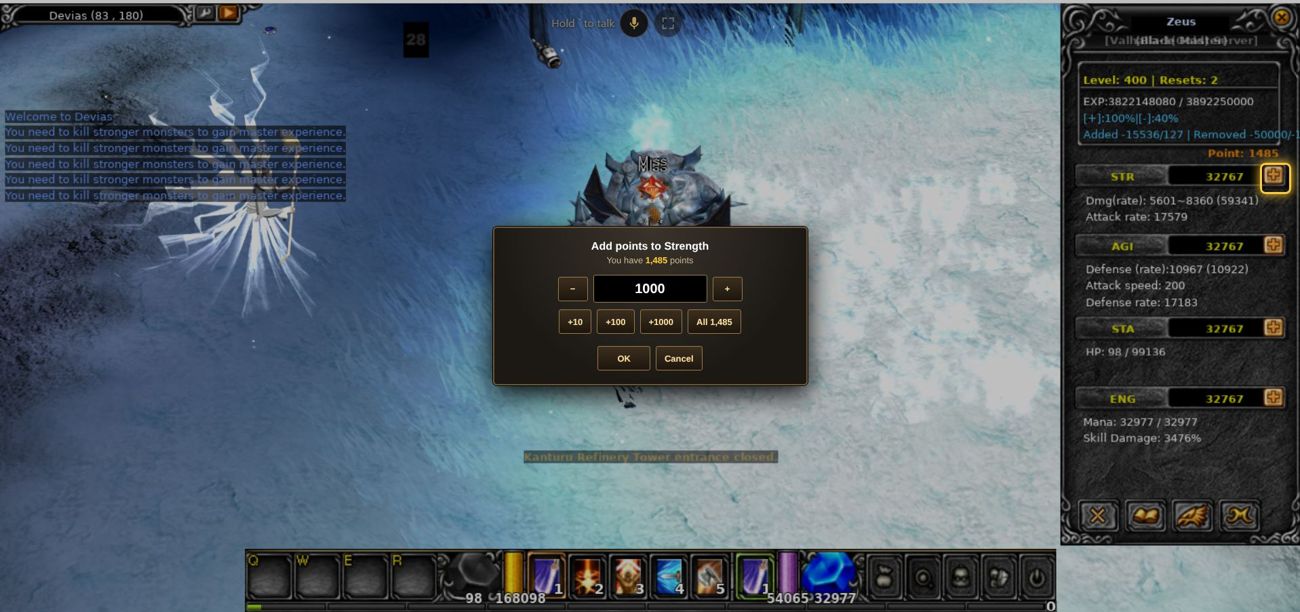
- In the character window (C), press the + next to a stat: a window asks how many points to add.
- Type a number, or press +10 / +100 / +1000 / All, then OK. The same on a computer and on a phone.
- A stat goes up to 32,767; the window never offers more than still fits.
Your character on the website
- On your account page, click one of your characters (gold, with ›) to see it like in the game: what it wears and its bag with the game's own item pictures, each item's level, its stats and zen, and its info: where it is (map and position), experience, master level, PK status, player kills and guild.
- Only you can see this. In Rankings and Online, other players see just the name, class, level, resets, guild and the country flag.
Forgot your password?
- Add an e-mail address on your account page (E-mail).
- If you forget the password: Log in → Forgot your password? → type the account name or the e-mail. A link to set a new password arrives by e-mail; it works once, for 30 minutes.
- The new password is also the game password.
Two-step login (optional)
- On your account page you can turn on two-step login: after the password, the website also asks for a 6-digit code from an app on your phone (Google Authenticator, Microsoft Authenticator, Authy).
- You get 8 backup codes for when you don't have your phone: keep them safe.
- Lost the phone and the codes? Ask a game master: they can turn it off for your account.
It protects your account on the website (shop, coins, settings). The game itself still logs in with the password.
Player pictures
- In Rankings, on character pages and on guild pages, each player is drawn by the game itself: their class in the armor they wear, with their weapons and wings.
- The picture follows the armor (the armor piece; mixed pieces show the set most of them belong to), the weapon in each hand and the wings.
Event notices on your phone
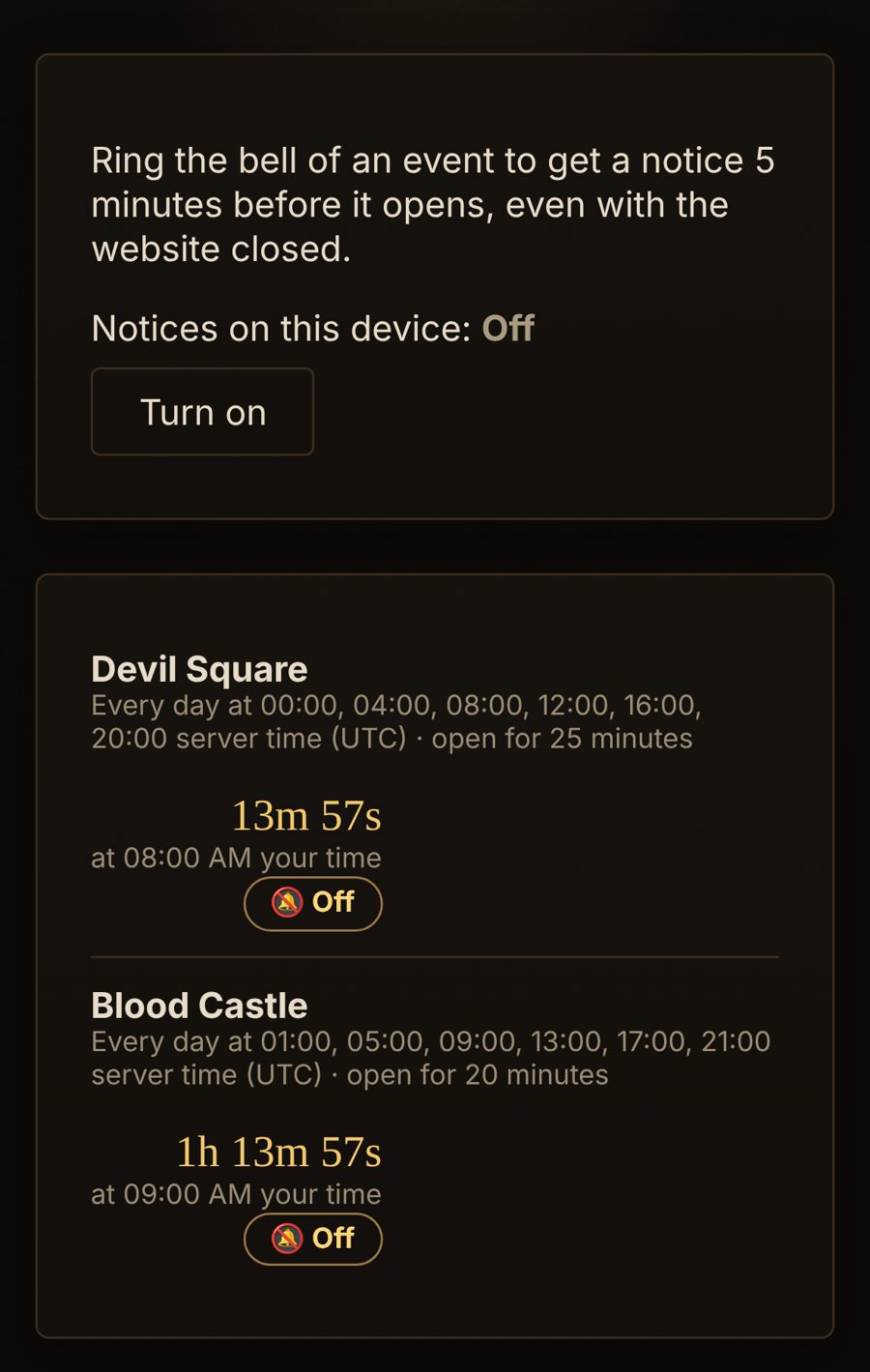
- On the Events page, ring the 🔔 of an event: you get a notice 5 minutes before it opens, even with the website closed.
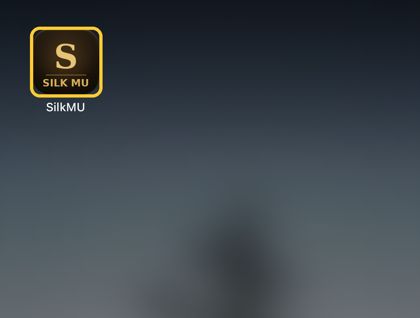
- Turn notices on for each phone or computer once ("Notices on this device"). On iPhone and iPad, add SilkMU to the Home Screen first and open it from there.
- Turn all notices off or on any time on your account page (Notices).
- In the game, the next event shows in the top right corner from 10 minutes before it opens; tap it to hide it.
Daily reward
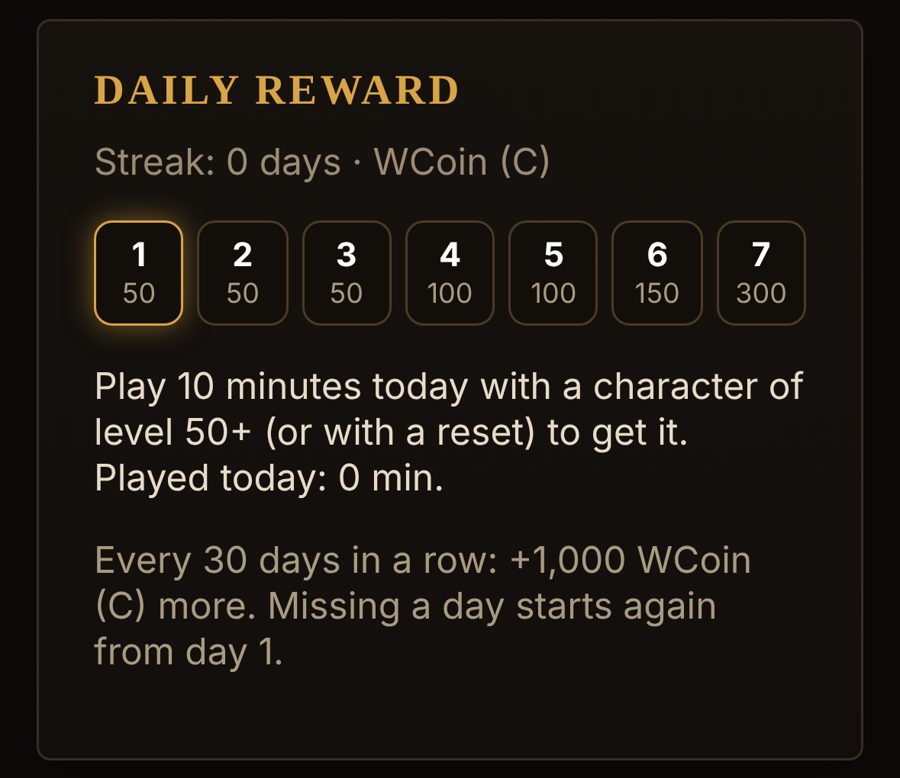
- Play 60 minutes a day with a character of level 200 or more (or with a reset): you get WCoin, more each day in a row (your account page shows the week).
- Every 30 days in a row there's a bonus. Missing a day starts again from day 1. Days change at 00:00 UTC.
- The game shows a message when it arrives.
Guild pages
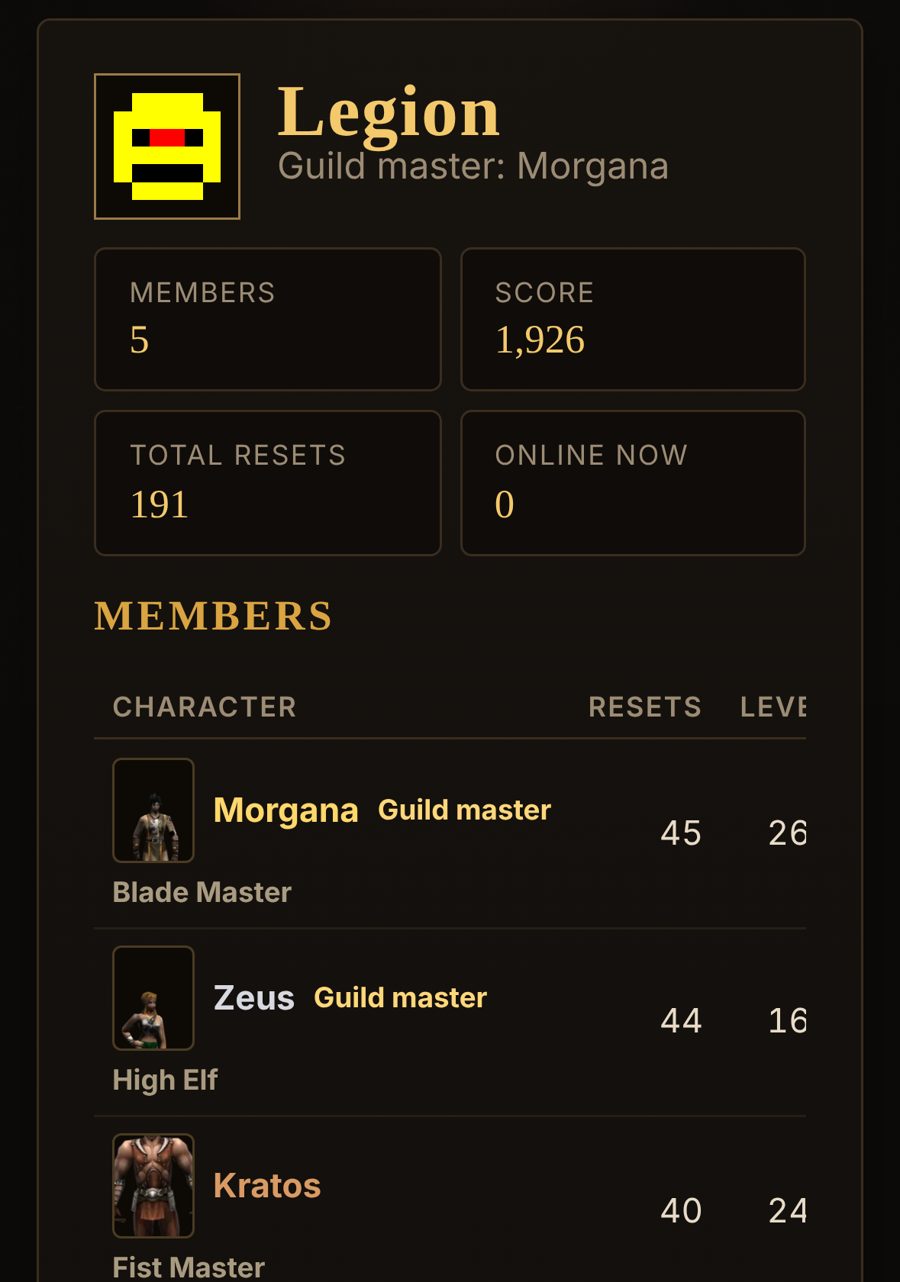
- Rankings → Guilds: click a guild to see its mark, master, members (with their pictures), who's online, its alliance and rival.
Invite a friend
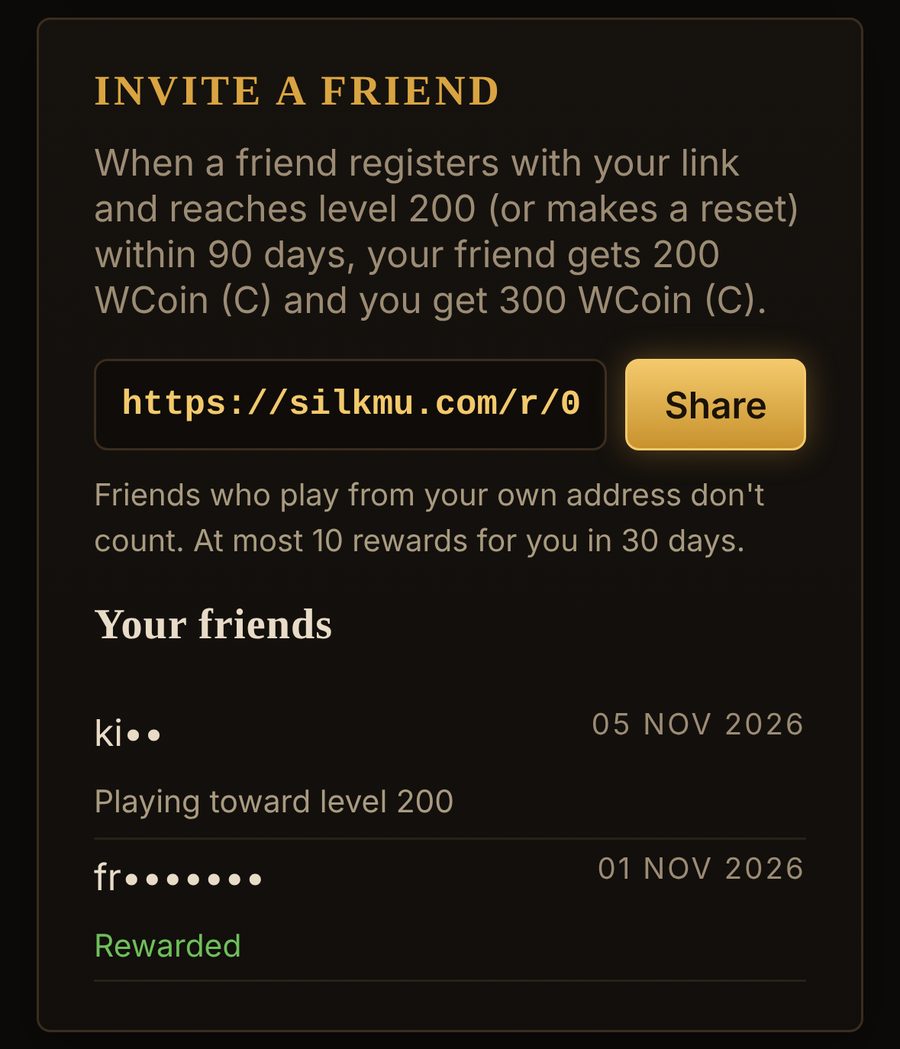
- Your account page has your own invite link (Invite a friend). Send it to a friend, or press Share.
- When your friend registers with it and reaches level 200 (or makes a reset) within 90 days, you both get WCoin.
- Friends who play from your own internet address don't count.
Hall of fame and weekly top
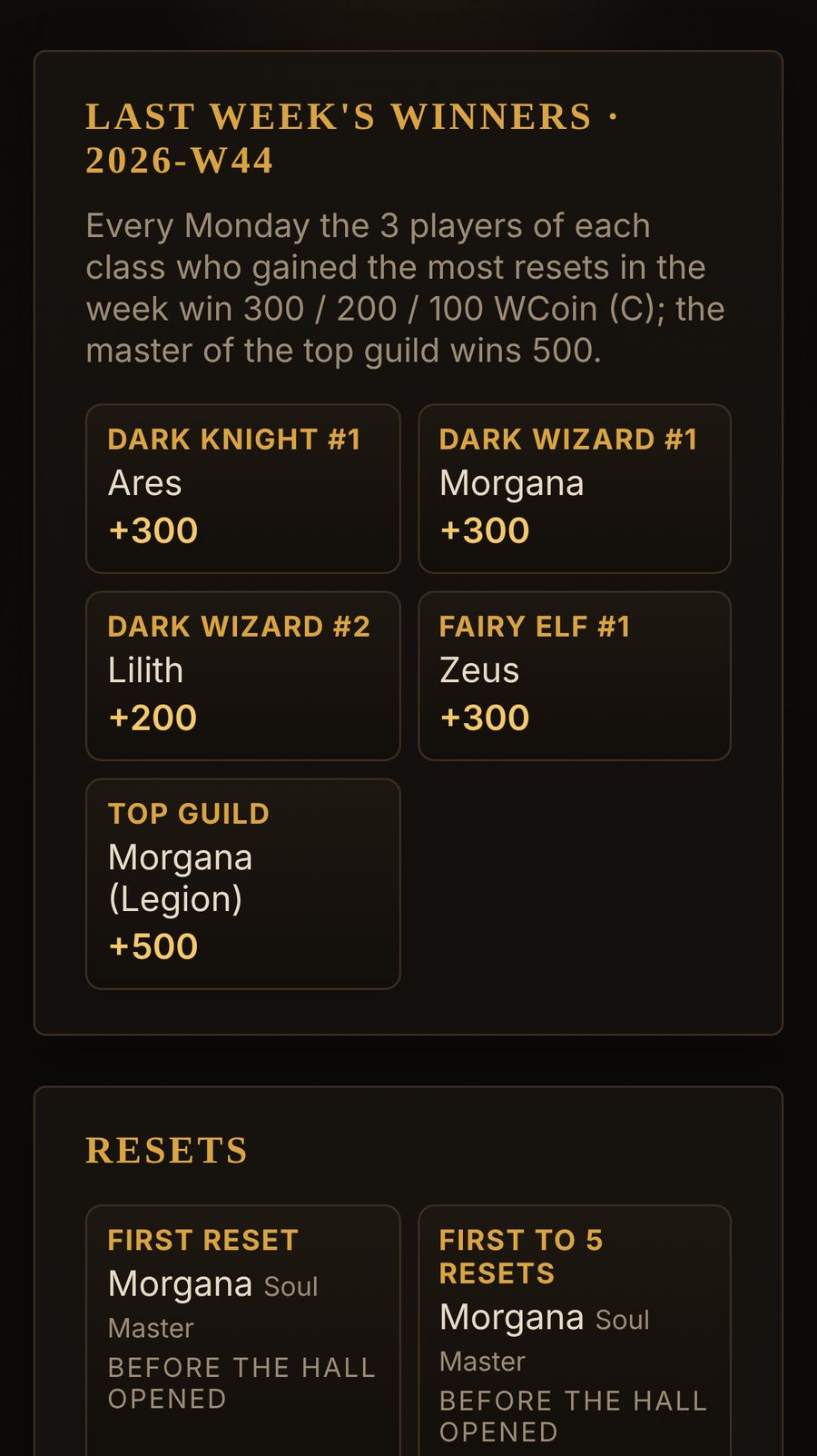
- Hall of fame (in the menu) keeps the first player to reach each record forever: the first reset, 5, 10, 25… resets, level 400 and master levels. The game announces a new record to everyone.
- Every Monday (00:00 UTC) the 3 players of each class who gained the most resets that week win WCoin, and the master of the top guild too. The winners are in the news and in the Hall of fame.
Item guide
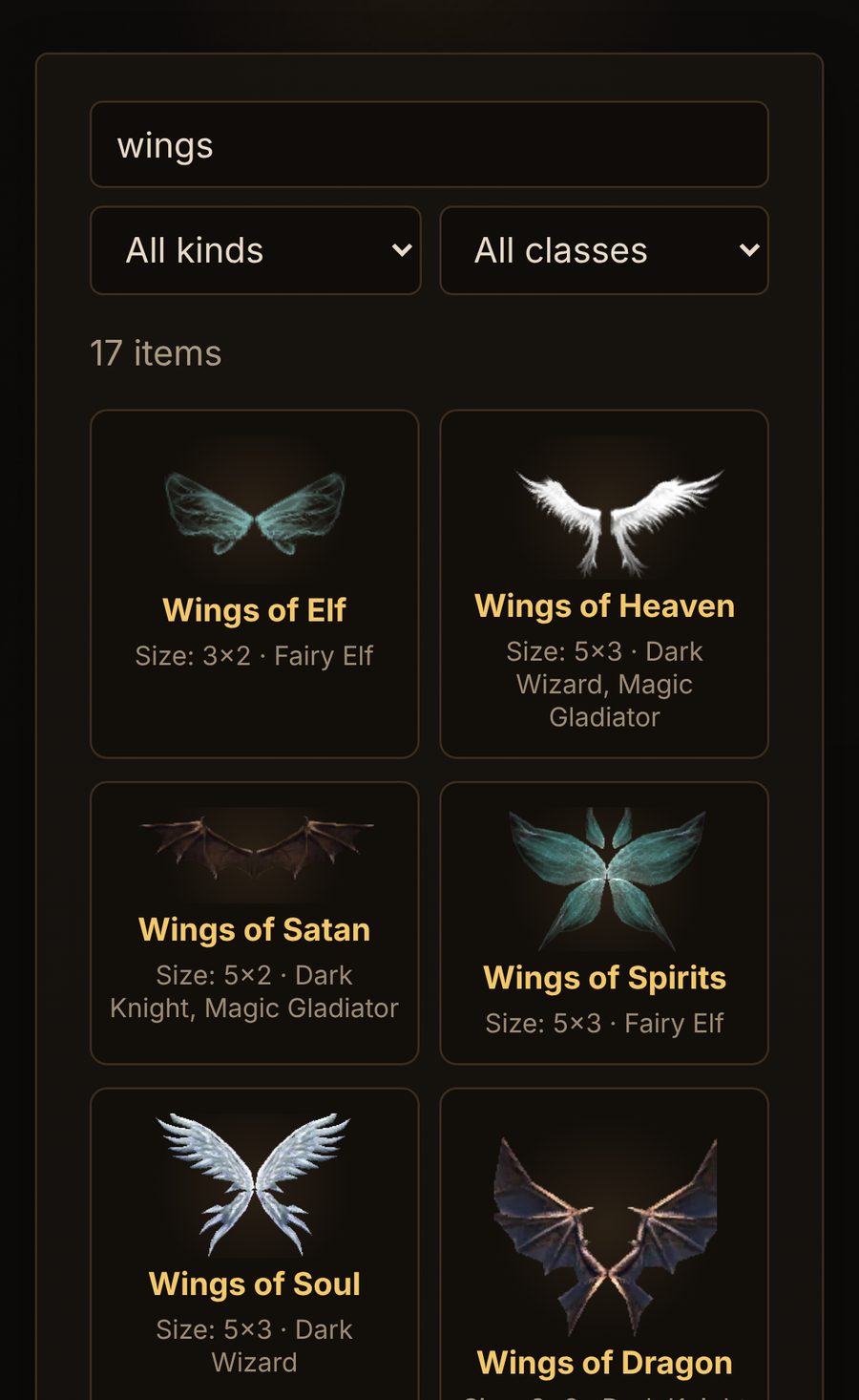
- Items (at the bottom of every page): every item of the game with its picture, its size in the bag and the classes that can use it. Search by name, or choose a kind and a class.
Report a problem from the game
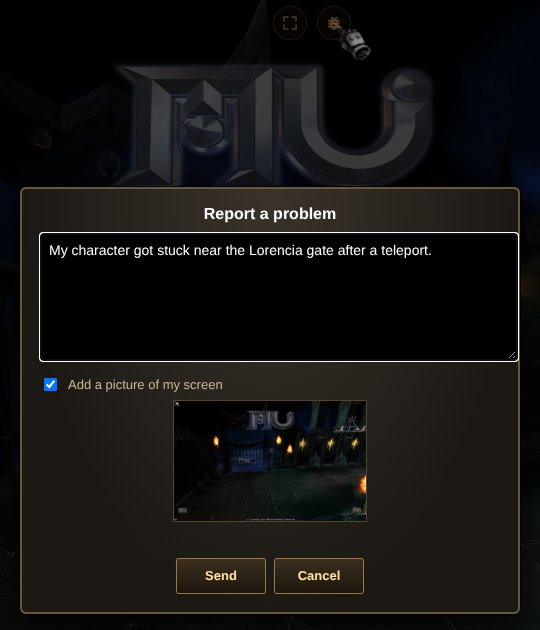
- In the game, press 🐞 at the top of the screen, write what happened and press Send. A picture of your screen goes with it (untick it if you don't want that).
- It goes straight to the game masters. You must be logged in on the website (Play does that for you).
Your settings follow you
- Sound, camera and interface size are saved with your account: play on another computer or phone and they're the same. Graphics stay per device (a phone and a computer want different ones).
Login alerts
- When someone logs in to your account on the website from a country it never used before, you get a notice on your devices and an e-mail (if your account has one). Not you? Change your password and turn on two-step login.
MU Helper: how to use it
- MU Helper fights for you: it attacks the monsters around you with your skills, drinks potions, buffs you and picks up what you choose. It costs a little zen every minute (more at higher levels).
- Open it: Z on a computer, or menu → Helper on a phone. Set it up once; it's saved with your character.
- Hunting tab: the hunting range (how far it walks for monsters: 3–4 is good, 6 is the most), Potion (and its Setting: drink at 50–70% life), your basic skill (your main attack) and up to two more with a delay or a condition, and your buffs at the bottom (Elves: Greater Damage and Defense, Dark Lords: Critical Damage...). Tick Original position so it comes back to its spot.
- Mana: the helper drinks a mana potion by itself when your mana drops to 30% or lower, in the game and in offline leveling (/offlevel). Just keep mana potions in your inventory (Large ones are used first).
- Obtaining tab: the pick-up range, Repair, and what to pick up: jewels, excellent and ancient items, zen, and your own words (for example Bless, Soul, Wings).
- Start it: go to a spot for your level (Guide → Where to level), stand among the monsters, not in a safe zone, press Save Setting in the Helper window and close it, then tap the orange ▶ at the top left, next to the map name (on a phone: the big HELPER button on the left, next to MOVE; it turns green while MU Helper runs, and when the helper isn't fighting it says why: NO MOB = no monster in range, BLOCKED = it can't hit the monster (no mana, a wall), ITEM = walking to an item, BACK = walking back to where it started, BUFF, HEAL, PET). Keep potions and zen in your bag.
- On a computer MU Helper keeps fighting while you're in another tab or window. A phone pauses the game when you switch apps or lock the screen: for that use AFK below.
- On a computer you can switch to another tab or window: the game keeps hunting. Don't let the computer sleep or close the laptop: that disconnects you.
- On a phone, switching to another app or locking the screen pauses the game, and the phone disconnects it after a short while. Use AFK instead (menu → AFK): your character keeps hunting on the server even with the phone off.
- Away for longer (sleep, work)? Use AFK too (/offlevel on a computer): 70% of the EXP for up to 12 hours.
MU Helper stops when you die, when the zen runs out, and in safe zones. If it stops, check potions, zen and the range, then tap the ▶ at the top left again.
Offline leveling (AFK)
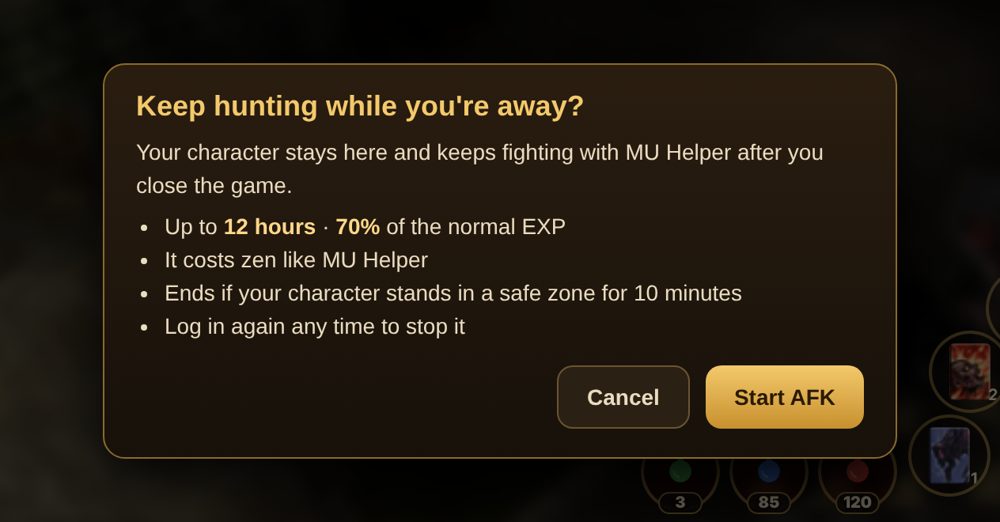
- Your character can keep hunting after you close the game. Go to a hunting spot (not a safe zone) and turn on MU Helper (the ▶ at the top left, next to the map name).
- On a phone: menu → AFK → Start AFK. On a computer: type /offlevel in the chat. The game closes and your character keeps fighting with MU Helper's settings.
- While away you get 70% of the normal experience, for up to 12 hours. It costs zen like MU Helper; when the zen runs out it stops.
- It also stops when your character stands in a safe zone for 10 minutes, and when you log in again (log in any time to stop it).
- Who's online shows a moon beside the names of players who are AFK.
A server restart (for example an update) ends all AFK sessions: start again after it.
Offline shop
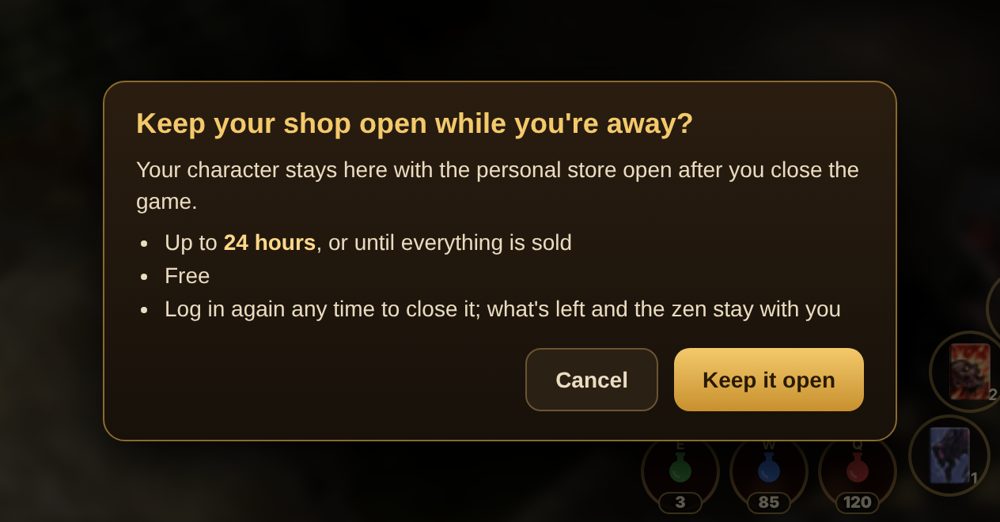
- First open your personal store in a town's safe zone: open the bag, press the store button (or S), put items in it, set the prices and press Open.
- Then on a phone: menu → Shop → Keep it open. On a computer: type /offshop in the chat. The game closes and your character stays there selling.
- Up to 24 hours, or until everything is sold. It's free. Log in again any time to close it: what's left and the zen you earned are with your character.
- Who's online shows a little stall beside the names of players with an offline shop.
When you come back
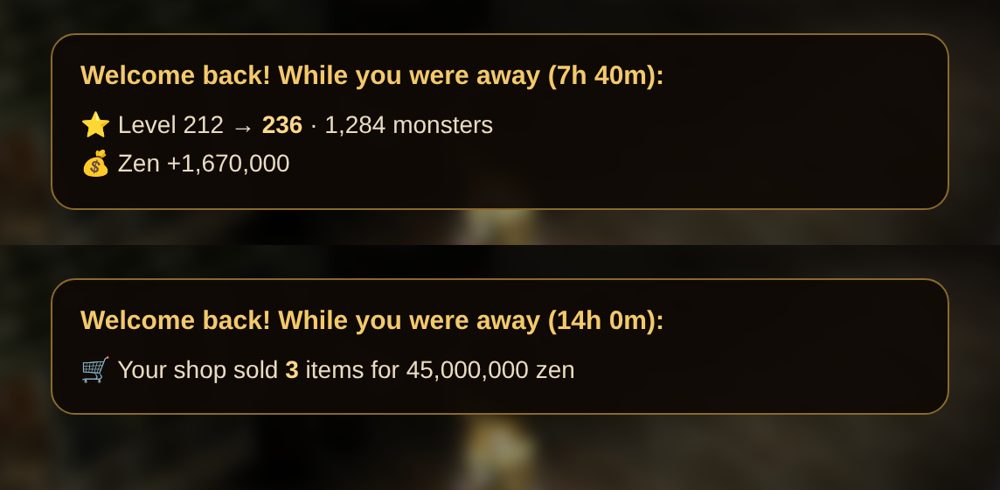
- When you log in again after AFK or the offline shop, the game shows what happened meanwhile: levels and monsters, zen, and what your shop sold.
Market
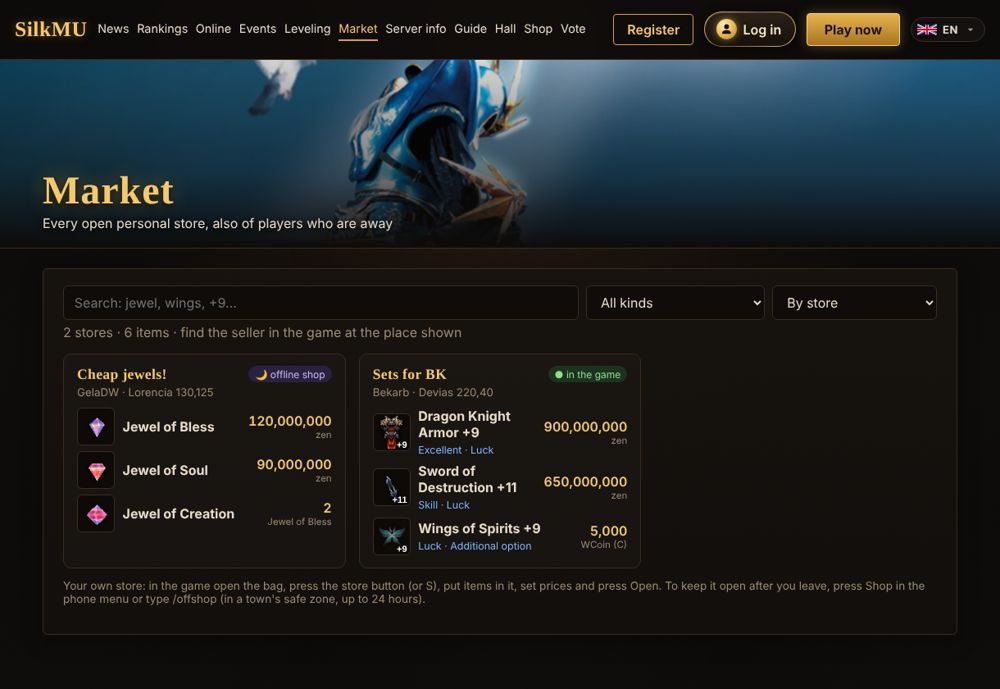
- Market (in the menu) lists every open personal store in the game, also the offline shops: the items with their pictures and options, the prices and where the seller stands.
- Search for an item (jewel, wings, +9…), choose a kind, or sort by price. Then go to the seller in the game (M → Move to the town) and buy as usual.
Store prices in jewels and WCoin
- In your personal store you can ask for more than zen: when you set an item's price, choose the currency: zen, WCoin (C), WCoin (P), Goblin Points, or a jewel (Bless, Soul, Chaos, Life, Creation, Guardian, Gemstone, Harmony).
- The buyer pays in that currency: the jewels from their bag, the coins from their account. Up to 1,000 jewels or 1,000,000 coins per item.
- The Market page shows each price with its currency, and the offline shop keeps selling for it.
WCoin and Goblin Points from the website
- Coins from the daily reward, votes, invites, the weekly top and the shop arrive in the game by themselves: when you enter the game, or within 30 seconds if you're playing. A message tells you how many you got.
- Your account page shows them with "on the way" until you enter the game.
Infinity Arrow for Elves
- Every Muse Elf and High Elf learns Infinity Arrow by itself at level 220, without the quest and for free. Elves already past 220 get it the next time they enter the game.
- A Fairy Elf gets it after the class change to Muse Elf (Sebina the Priestess's level 150 quest).
- Then put the skill on a skill key (or in MU Helper's buffs).
Quest items in Lorencia
- The merchants of Lorencia (Potion Girl Amy, or Lumen and Pasi when her window is full) sell the Scroll of the Emperor for 25,000,000 zen.
- Amy also sells the Ring of Honor and the Dark Stone, 25,000,000 zen each.
- It's the item of the level 150 class quest of Sebina the Priestess in Devias: buy it instead of hunting for it. It can't be sold back.
- For the level 400 class change (Blade Master, Grand Master, High Elf, Duel Master, Lord Emperor, Dimension Master, Fist Master) the same merchants sell the three boss items: Flame of Death Beam Knight, Horn of Hell Maine and Feather of Dark Phoenix, 100,000,000 zen each. The rest of the quest (Balgass's Barracks and the Refuge) stays the same.
Who's online
- Who's online lists the characters in the game. The small icon beside a name shows what the player plays on: green for a phone or tablet, gold for a computer (touch or point at it for the name: iPhone, Android, Windows...).
- Only the kind of device is shown, for every player in the game.
Server status
- Server status (at the bottom of every page) shows whether the game is running, how many play, the uptime of the last 30 days and the next events.
Apps: Windows, Mac, Linux, Android
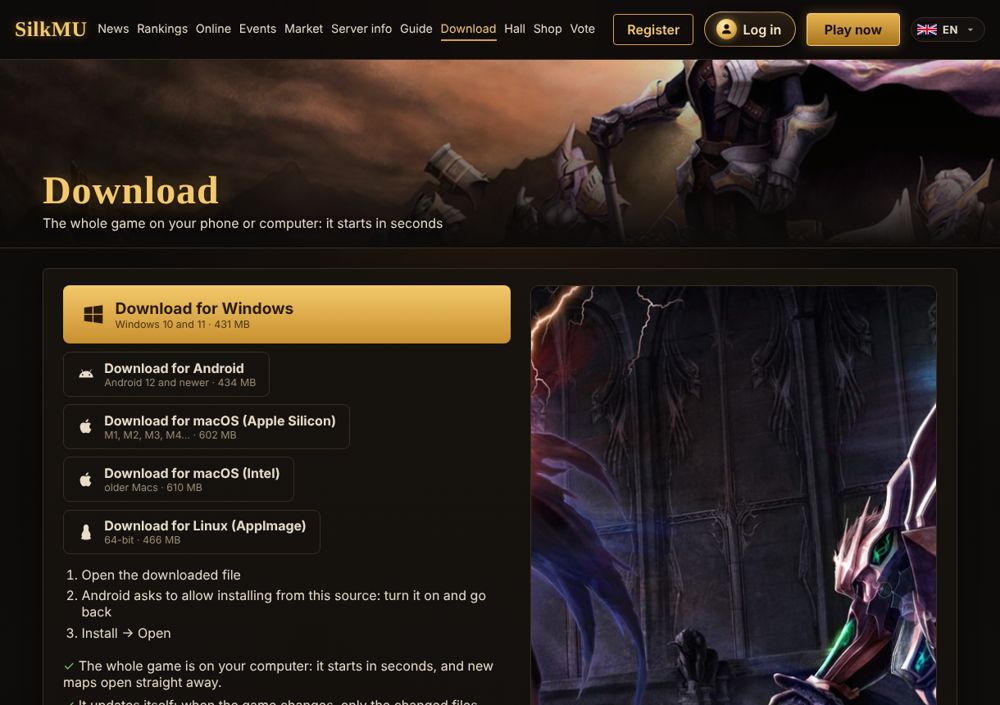
- Download (in the menu, or /download) has SilkMU for Windows, macOS (Apple Silicon and Intel) and Linux. The whole game comes with it, so it starts in seconds and maps open straight away.
- It updates itself: when the game changes, it downloads only the changed files when it starts (usually a few MB, a few seconds).
- The same account and characters as in the browser. To log in automatically, log in on the website in the app once (Play does the rest).
- Windows: open the installer. If Windows says "Windows protected your PC", press More info → Run anyway (the app isn't signed yet). It goes to your programs, with an icon on the desktop.
- Mac: unzip the file and move SilkMU to Applications. Open it; when the Mac says it can't check the app, press Done, then open System Settings → Privacy & Security and press Open Anyway (once).
- Linux: make the file runnable (right click → Properties → Allow executing, or chmod +x) and open it.
- Android (12 or newer): download the APK on the phone and open it. Android asks to allow installing from this source (your browser): turn it on, go back, press Install. It updates itself like the others; when the app itself changes, it tells you to download the new APK.
- F11: full screen. To remove it on Windows: Settings → Apps → SilkMU → Uninstall.
Download the whole game (browser, iPhone)
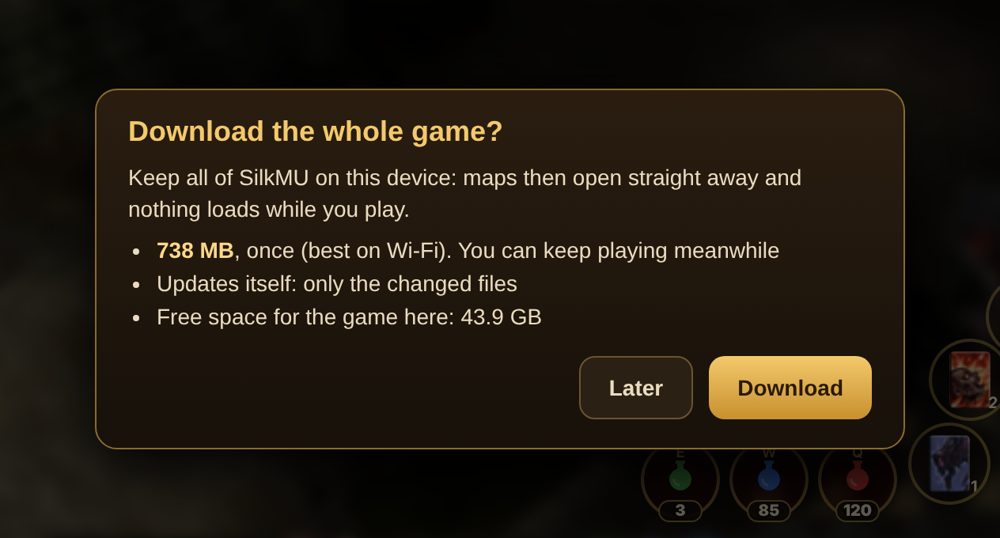
- In the browser (computer, Android, iPhone), the game downloads maps the first time you go there. To keep the whole game on your device instead, press Download when the game asks (a few minutes after you start), or open Download → Download the whole game.
- About 760 MB, once (best on Wi-Fi). You can keep playing meanwhile; a small bar at the top shows how far it is (tap it to make it smaller).
- Then maps open straight away. When the game changes, only the changed files come.
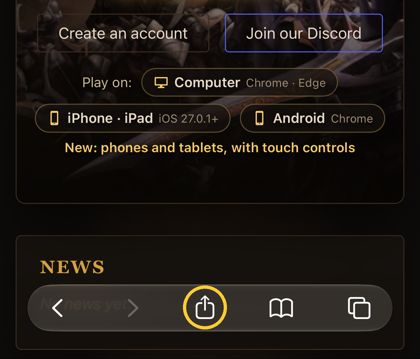
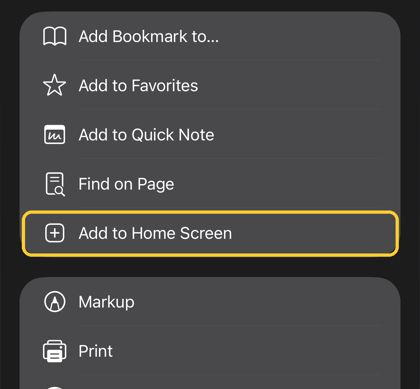
- iPhone: first add the game to the home screen (Safari: Share → Add to Home Screen) and play from there. If the iPhone is almost full, it may delete the stored game; then it simply downloads again.
- The apps (Windows, Mac, Linux, Android) have the whole game already and don't ask.
Where to level
Players now: 36 in the game, on the map each was on a few minutes ago. A map listed in more than one row (like Lost Tower or the Arena) shows the same players in each row: don't add them up.
Level 1–20
- Lorencia1 on this map
- Noriafree
- Elvelandfree
Level 20–60
- Devias1 on this map
- Dungeon★floors 1–21 on this map
Level 60–100
- Dungeon★floor 31 on this map
- Lost Tower★floors 1–46 on this map
- Atlans★Atlans 1, from level 70free
- Arena★spot A17 on this map · busy
Level 100–150
- Lost Tower★floors 5–76 on this map
- Atlans★Atlans 2–3free
- Arena★spot B17 on this map · busy
Level 150–200
- Tarkan★from level 1402 on this map
- Aida★Aida 1free
- Icarus★from level 1701 on this map
- Arena★spot C17 on this map · busy
Level 200–260
- Kanturu★ruins6 on this map
- Aida★Aida 2free
- Arena★spot 117 on this map · busy
Level 260+
- Raklionfrom level 280free
- Swamp of Calmnessfrom level 400free
- Arena★spots 2–4, BK packs17 on this map · busy
- Where to level (in the Guide, or /where) lists the best maps for each level, from 1 to 400, and how to get there.
- Each map shows how many players are there now. "Busy" means 10 or more: try another map of the same row. ★ marks the maps with new spots.
New level-up spots
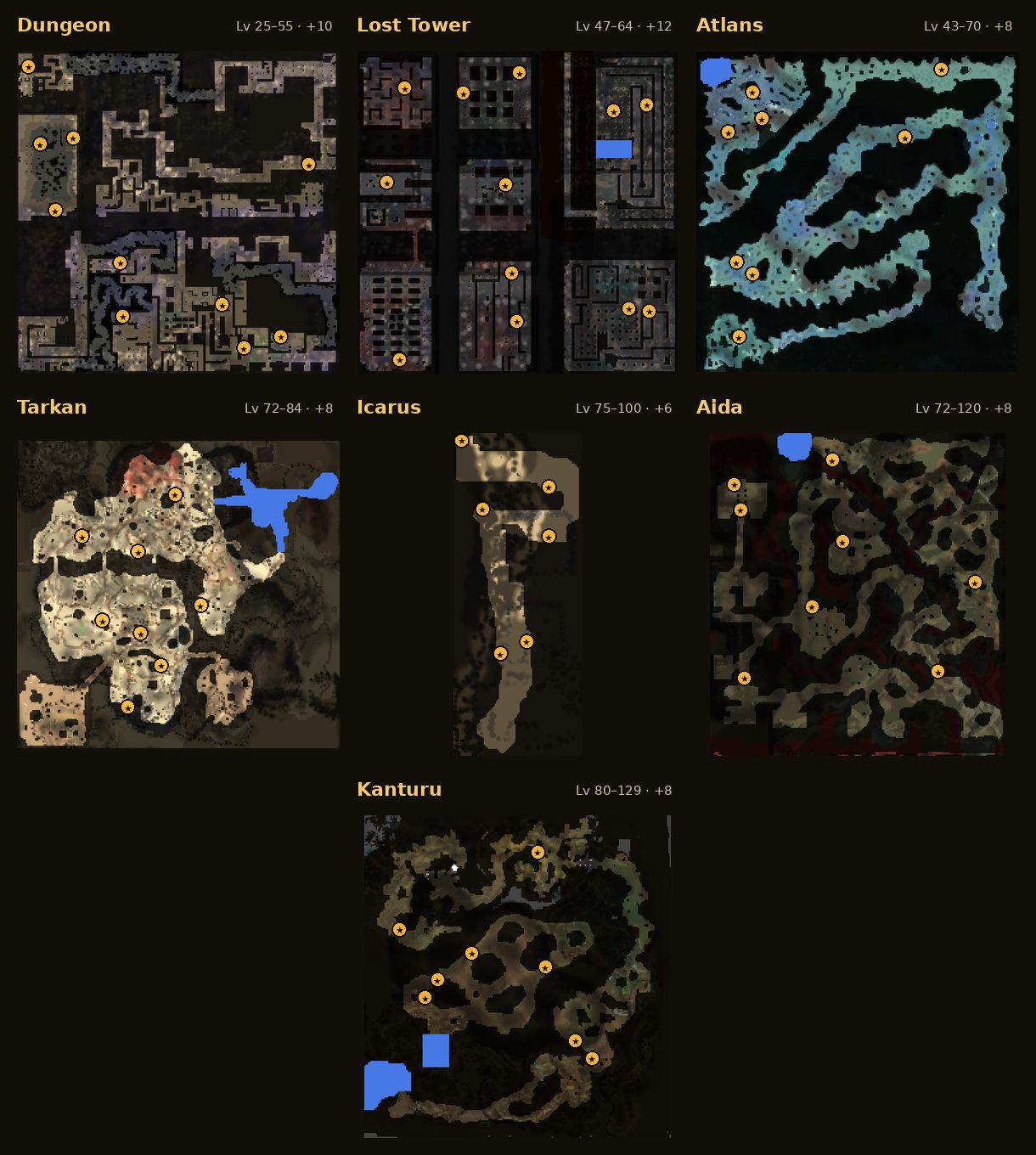
- 60 new spots: Dungeon (10), Lost Tower (12), Atlans (8), Tarkan (8), Icarus (6), Aida (8) and Kanturu (8). Each has 8 monsters of the kinds that already live around it, as strong as usual and with the usual drops.
- They're away from the other monsters and at least 12 steps from the safe zone, so more players have room to hunt.
- On these maps and on the Arena, monsters come back 6 seconds after they die (5 seconds for the Arena's BK packs: Splinter Wolf, Iron Rider and Satyros). Bosses and golden monsters keep their own time.
- Golden Invasion every 2 hours (01:40, 03:40 … UTC): golden monsters drop a Box of Kundun. Opened, a +1, +2 or +3 box gives a jewel (20%), an excellent item (35%) or an excellent ring or pendant (45%: Ring of Ice, Poison, Fire, Earth, Wind or Magic; Pendant of Lighting, Fire, Ice, Wind, Water or Ability). The ring or pendant is usually +0 to +4 and, rarely, +5, +6 or +7 (about 1 box in 300 gives a +7); each level adds elemental resistance, and such levels come only from these boxes. A +4 or +5 box gives a jewel (20%) or an excellent item (80%). No box gives zen.
- Warlord: the boss of the Arena comes every day at 21:00 Georgian time (17:00 UTC) to a random hunting spot and stays 30 minutes. He is very strong, so come with your guild. Only the 5 players who did the most damage can pick up his loot (Boxes of Kundun +5, jewels, excellent items), and the best three also get 30, 20 and 10 W Coin. The ranking of the last fight is on the Events page.
- Medusa: the smaller boss, half the Warlord with half the prize, comes twice a day (15:00 and 00:00 Georgian time) to a random spot of the Swamp of Calmness and stays 30 minutes. The same rules: the 5 best damage dealers can pick up her loot (2 Boxes of Kundun +5, 3 jewels, an excellent item), and the best three get 15, 10 and 5 W Coin.
- Red Dragon invasion (every 4 hours, in Lorencia, Noria or Devias): 5 dragons, much tougher than before. Each one drops 3 jewels (Bless, Soul or Chaos), and only the 3 players who did the most damage to it can pick them up. Everyone who fought sees their place and damage.
- Jewels drop from monsters on every map: about 1 kill in 500, the Arena included.
X shop (W Coin)
- Open it in a town with the X key, or the bag button at the bottom right on a phone. You pay with W Coin: daily rewards, votes, invites and weekly prizes give it.
- Jewels: Chaos 34, Bless 42, Soul 42, Creation 67, Life 84 W Coin each; bundles of 10 are about 15% cheaper.
- Boxes of Kundun +1 to +5: 25, 40, 55, 70 and 95 W Coin. Also Jewel of Harmony (90), Jewel of Guardian (108), Horn of Dinorant (250), Loch's Feather (300), the Magic Backpack (420), the Vault Expansion (840) and the Summoner and Rage Fighter cards (350).
- Tabs: Jewels (also bundles of 30 and refining stones), Boxes (also 5 boxes at once, 10% cheaper), Pets (Guardian Angel 85, Imp 85, Uniria 140, Dinorant 250, Fenrir 2,100, Dark Horse and Dark Raven 560), Wings (first wings for Elf, Wizard, Knight and Summoner, 840; second wings and capes for every class, 1,300), Tickets (Devil Square, Blood Castle and Chaos Castle, 40–110 by level) and Items (stat fruits 140, 10 Town Portal Scrolls 30). Crest of Monarch (700) is under Special.
- What you buy goes to Storage on the right of the shop: select it and press Use to move it to your bag.
VIP
- VIP is for the whole account, for 30 days, bought with W Coin (C). Bronze 500, Silver 1,000, Gold 2,000.
- A short VIP for 10 days: Bronze 200, Silver 400, Gold 800. Add 10 to the command: /vip bronze 10, /vip silver 10 or /vip gold 10.
- Experience: Bronze +20%, Silver +40%, Gold +60%. Zen from monsters you kill: +10%, +20%, +30%.
- Daily reward: ×1.25, ×1.5, ×2. Offline leveling (AFK): 2, 4 or 8 hours more than the usual 12.
- Buy in the game: type /vip bronze, /vip silver or /vip gold in the chat. The game tells you the price; type the same command again to buy.
- /vip shows your VIP and the days left; your account page on the website shows it too. Only you see it.
- The same level again adds the days you buy (30 or 10). A higher level starts at once, and the days left of the lower one count by their price. VIP never gives better drops or stronger characters.
Event rewards
- Blood Castle: everyone in the winning party who is still alive gets a Box of Kundun (BC1–2 +2, BC3–4 +3, BC5–6 +4, BC7–8 +5; ×2 BC5+), 2 jewels (3 from BC5) and 1,000,000 zen per BC level, plus experience.
- Devil Square: 1st place gets a Box of Kundun (DS1–2 +1, DS3–4 +2, DS5–6 +3, DS7 +4) and 2 jewels; 2nd and 3rd place a jewel. Every place gets experience and zen (10 times more than before).
- Chaos Castle: the last one alive gets a random jewel, a Box of Kundun (CC1–2 +2, CC3–4 +3, CC5–6 +4, CC7 +5) and, from CC2, a chance at an ancient item.
- The rewards drop at your feet: pick them up before you leave. A jewel is Bless, Soul, Life, Creation or Chaos.
Castle Siege
- Every week guilds fight for the castle in Valley of Loren. The Events page shows who holds it, the stage now, the next battle in your time, and the guilds signed up.
- Monday: the guild master (level 200+, guild of 20+ members) signs up at the Guardsman in Valley of Loren. Wednesday: members hand in Signs of Lord there; the 3 guilds with the most marks attack.
- Saturday 20:00–22:00 (server time): the battle. Break the gates, reach the throne and hold the crown to take the castle. The owner sets the Chaos Machine and store taxes.
Double EXP every evening
- Every day from 20:00 to 22:00 (Tbilisi time) all monsters give double experience, master experience too.
- The game tells everyone in chat when it starts and when it ends. On the website, Events shows when the next one starts, and while it's on a strip at the top of every page shows how long it still lasts.
Tip: hunt in a party during Double EXP: the party bonus comes on top.
Party bonus
- Hunting in a party gives +15% experience for each party member near you: +15% with 2 players, +30% with 3, +45% with 4, +60% with 5.
- Members count when they're close enough to see each other. The experience is shared by level, as before.
Arena: level-up spots
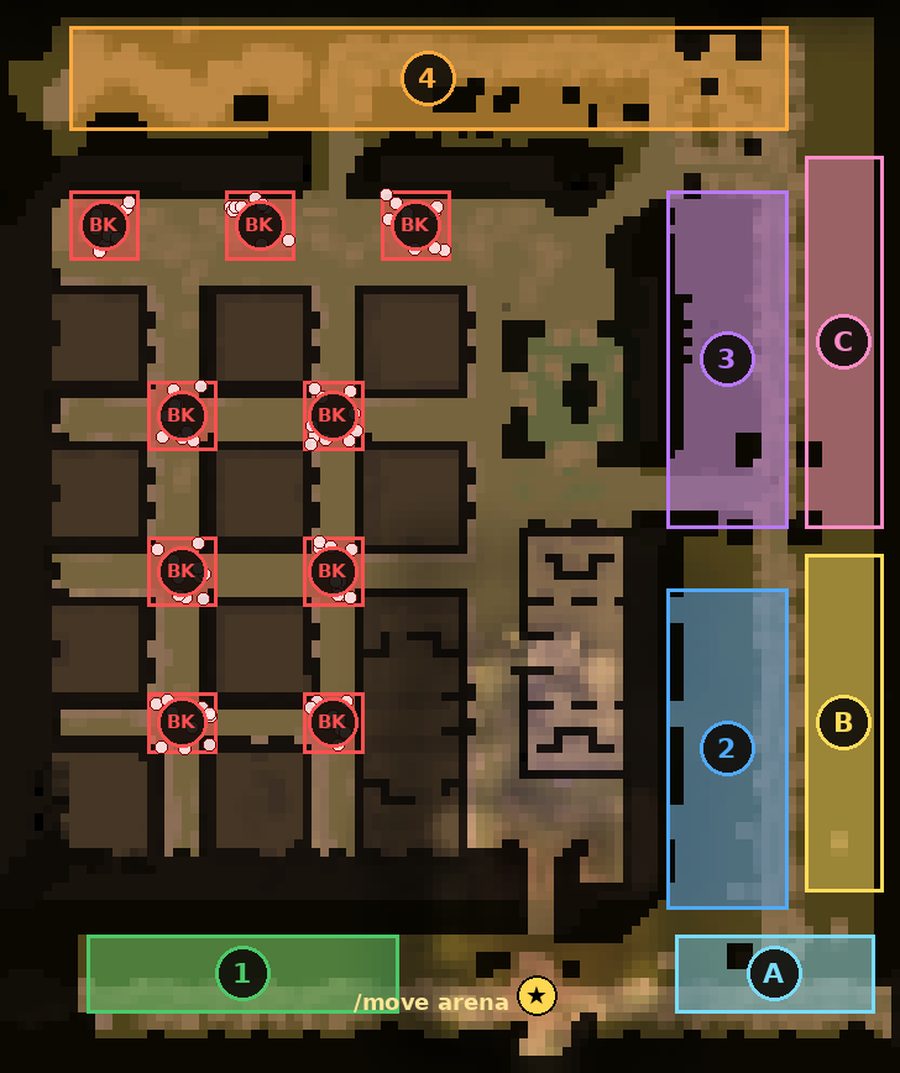
- /move arena (level 50, 2,000 zen) takes you to the Arena, which has monsters to level up on from level 60.
- A (east of the entrance): level 60–100, Lost Tower monsters. B (east side, lower half): level 100–150, Atlans monsters. C (east side, upper half): level 150–200, Tarkan and Aida monsters.
- 1 (by the entrance): level 200–260, Kanturu monsters. 2: level 260–320. 3: level 320–380, Raklion monsters. 4 (north hall): level 380–400 and resets.
- BK packs: 9 tight groups of 10 monsters between the squares and on the north plaza. Many at once for Twisting Slash and Death Stab.
- Monsters there drop half as many items as elsewhere; zen is the same.
Resets
- At the reset level (see Server info), type /reset: your character goes back to level 1 and gets more free points with every reset.
- /resetinfo shows your resets and what the next one needs.
- Rankings sort by resets, then level.
Play in the browser, on any device
- No download: press Play on the website. The game is kept on your device after the first time, so it starts faster next time.
- On iPhone and Android: full on-screen controls (see the phone controls guide).
- Logged in on the website? Play takes you straight to your characters, no second login.
Voice chat
Talk to the players near you in the game: hold Hold to talk on a phone, or the ` key on a computer.
Fair play
- The server checks speed and attacks: speed hacks and similar cheats are detected and disconnected.
- Game masters can't reset characters.
- Read the Rules before you play.
On the website
- Rankings, who is online, event times and server info.
- Your account page: your characters, and your orders from the Shop.
- Stuck? On your account page, Disconnect from the game logs your account out, and Move to Lorencia puts the character you choose in Lorencia's town.
- Vote for SilkMU on the Vote page.
← All guides · Updated: 2026-11-10